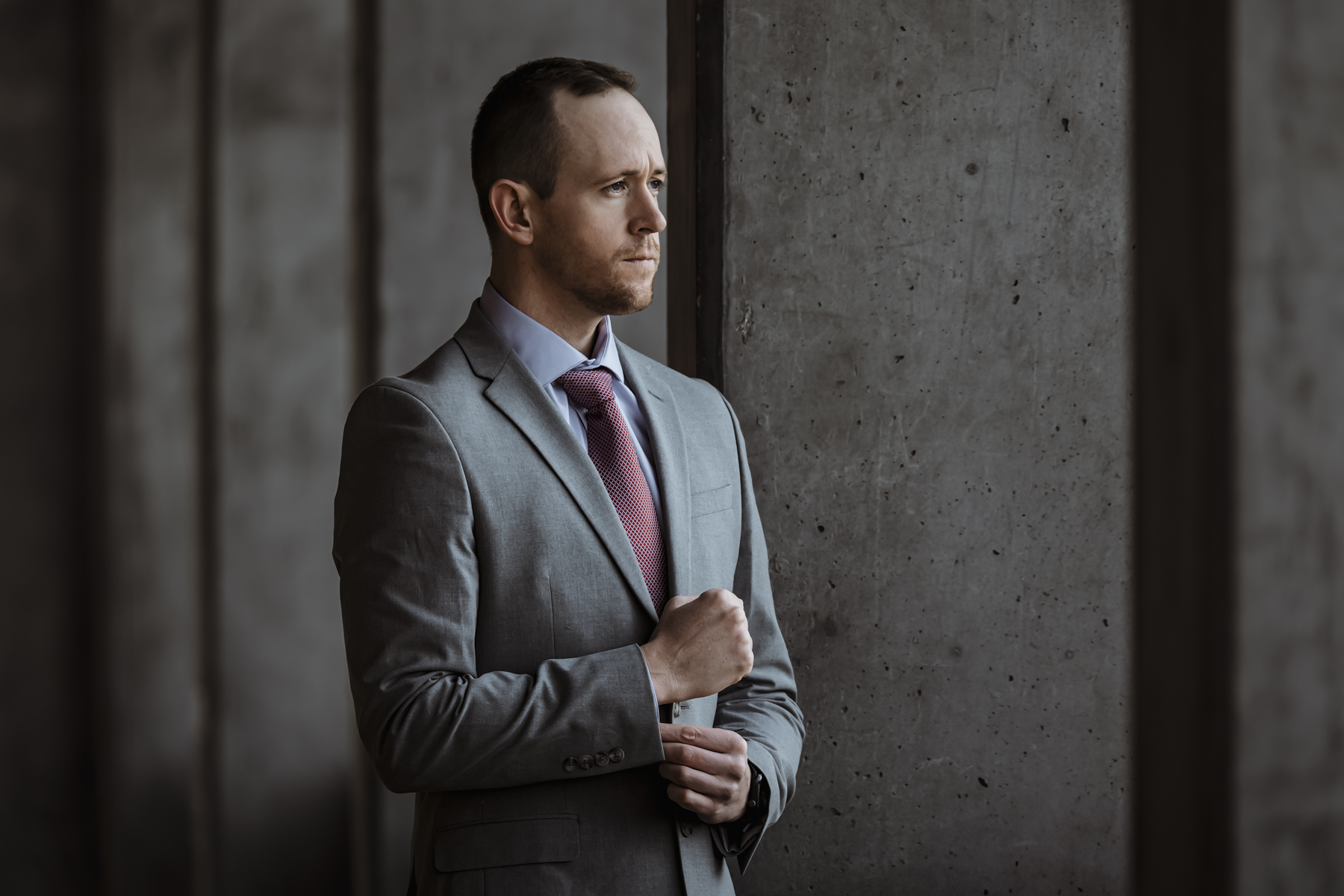
The top AI headshot generators (Aragon AI, HeadshotPro, BetterPic) run $35-$45 per person and deliver 50-60 headshots in under two hours. The national median for a professional headshot session is around $250. If you’re evaluating those two options purely on price and convenience, AI wins before the conversation starts.
But I photograph faces for a living, and there are specific things I see in AI headshots that most business owners don’t. Problems that clients, recruiters, and prospects register subconsciously without being able to name them. Problems that get more expensive the higher the stakes of the impression your headshot needs to make.
I’m not going to pretend AI headshots are terrible. Some of them are genuinely impressive. Most people cannot reliably tell the difference between an AI-generated face and a real photograph, and I’ll get into the data on that below. For certain use cases, a $39 HeadshotPro plan or a $45 Aragon session is infinitely better than the cropped vacation photo or the empty grey silhouette that currently represents half your team online. But for other use cases, it’s the wrong tool, and most of the content comparing these two options is written by either AI companies selling generators or photographers defending their turf. Neither source is giving you a straight answer.
Where AI Headshots Genuinely Work
If you need a professional-looking photo for an internal directory that only employees see, AI works. If a team member just started and won’t have access to a photographer for three months, an AI headshot is a reasonable placeholder. If your budget is genuinely zero and the alternative is no photo at all, even a basic plan from ProPhotos AI at $25 or The Multiverse AI at $29 puts a face to a name, and that matters. LinkedIn profiles with professional photos get 21 times more views and 36 times more messages than profiles without one. An AI professional headshot clears that bar.
For individual contributors who rarely interact with clients face-to-face, the cost-benefit math can favor AI. For startups burning through runway where every dollar has to justify itself against product development, spending $5,000 on a photographer for the team page might genuinely not be the right call yet. I’d rather see a startup with decent AI headshots and a great product than beautiful portraits and six months less runway.
So here’s what I actually see when I look at AI headshots, and you can decide whether these problems matter for your specific situation. For some of you, they won’t. For others, they’re costing more than the photography would have.
Can People Actually Tell the Difference
This is the question everyone asks, and the answer is more complicated than either side wants to admit.
Lancaster University research found that people correctly identify AI-generated faces only about 50% of the time. That’s a coin flip. In blind comparison tests, a Ringover study found recruiters actually chose AI headshots as their favorite 76.5% of the time. People genuinely preferred the AI results when they didn’t know which was which. If you stopped the analysis here, the case for AI headshots would be overwhelming.
But the same Ringover study found that 66% of recruiters said they would be put off if they learned a headshot was AI-generated. And 88% believed candidates should disclose AI use. There’s a gap between what people prefer aesthetically and what they trust when they know the source. The AI headshot looks better in a blind test because it’s been optimized for attractiveness. It loses trust the moment the viewer suspects it’s not real.
Princeton research shows trust judgments form in 100 milliseconds. That judgment relies on authenticity cues that are hard to define but easy to feel. A professional headshot captures real light hitting a real face in a real environment. An AI headshot simulates those things convincingly but not perfectly. Most viewers can’t articulate the difference. Many of them register it anyway.
The Team Consistency Problem Nobody Mentions
AI headshot generators market “matching backgrounds” as visual consistency. That’s half the equation and arguably the less important half. The bigger issue is lighting direction, and AI can’t control it because it’s derived from whatever selfies each employee uploads.
Look at any AI-generated team page carefully. One person appears lit from the left. Another from the right. A third has overhead fluorescent light flattening their features. The shadows fall in different directions on every face. The color temperature shifts from warm to cool between headshots. Each image looks fine individually. Placed side by side on a team page, they look like fifty different photographers shot fifty different people in fifty different rooms, then someone dropped matching grey backgrounds behind them.
When I shoot a team session, every person sits in the same chair, under the same lights, with the same modifiers, at the same distance. The light falls identically on every face. The shadows match. The color temperature is consistent to the degree. When those images go on your team page, the visual uniformity communicates something specific: this organization is coordinated, professional, and pays attention to details. That’s not something you can replicate by uploading selfies to an algorithm, no matter how sophisticated the algorithm is.
If your team page is a secondary consideration and nobody’s evaluating your company based on how cohesive it looks, this might not matter. If you’re a law firm, a financial advisory, or any business where trust is the product you’re selling, the lighting inconsistency tells prospects something about your attention to detail that you probably don’t want it to.
The team page is also rarely the only place these images live. They end up in proposals, pitch decks, conference badges, email signatures, and speaker bios. The lighting mismatch that’s tolerable on a website becomes impossible to ignore on a printed proposal where four team members’ headshots sit side by side at six inches wide. If your team headshots need to work across multiple formats and contexts, the consistency gap compounds every time the images appear somewhere new.
The “Doesn’t Look Like Me” Problem
Browse Trustpilot reviews for any major AI headshot platform and you’ll find a pattern. People upload their selfies, receive 100-200 generated options, and find that maybe 10-20% look like them. The rest look like an attractive stranger who shares some of their features. The AI averages faces toward generic attractiveness. It smooths skin until pores disappear. It adjusts proportions slightly toward symmetry. The result is a person who resembles you the way a sibling might, not the way a mirror does.
This matters more than it sounds. When someone connects with you on LinkedIn, visits your team page, and then meets you on a Zoom call, the headshot sets an expectation. If the person on camera looks noticeably different from the person in the photo, there’s a trust gap that starts the conversation at a deficit. It’s subtle, but it’s the professional equivalent of showing up to a meeting looking nothing like your profile. The more client-facing the role, the more that gap costs you.
Professional headshots capture your actual face in real light. The retouching evens skin tone and removes temporary blemishes, but the person in the photo is recognizably, specifically you. Not a better-looking version. Not a symmetry-optimized approximation. You, looking your best in a photograph taken with intention.
There’s also something AI can’t capture that a photographer can: the expression that happens between poses. The genuine half-smile when someone makes a joke during the session. The confident posture that shows up when the subject stops thinking about having their photo taken. A good headshot photographer creates the conditions for that natural moment to happen and recognizes it when it does. AI generates an expression from a statistical average of what “professional” looks like. One of those approaches produces a photo that feels like you. The other produces a photo that feels like a stock photo with your features.
The Technical Problems a Photographer Notices Instantly
There are details that a trained eye catches in seconds that a business owner might never consciously register. They matter because they contribute to the feeling that something is “off” without the viewer being able to articulate what.
Catchlights are the tiny reflections in the eyes that signal real studio lighting. Professional headshots have clean, defined catchlights because real lights create real reflections. AI headshots either have no catchlights, blurred catchlights, or catchlights that don’t match the apparent lighting direction. The brain reads this as artificial even when the viewer doesn’t know the word “catchlight.”
Glasses remain a significant problem. Frames warp, lenses create impossible reflections, and arms of the glasses merge into hair or temples. One Secta Labs reviewer reported receiving images where their earrings had fused into their ears in styles they’d never worn. Jewelry, scarves, collar details, and anything with fine geometric structure still breaks.
Teeth sometimes render as a single luminescent block rather than individual teeth. Hair at the edges of the frame softens into painterly blur. And skin texture gets averaged into a plastic smoothness that sits in the uncanny valley: real enough that your brain expects a photograph, processed enough that something feels wrong.
Individually, none of these are immediately obvious to a casual viewer. Together, they produce what 38% of survey respondents describe as a “soulless” quality. The image looks professional. It just doesn’t look alive.
There’s also a resolution ceiling. Most AI headshot generators output images at around 2,400 pixels on the long edge. A professional camera delivers 6,000 to 8,000 pixels. For a LinkedIn thumbnail, the difference is invisible. For a printed conference banner, a proposal cover page, a trade show display, or a large office wall portrait, AI images fall apart at scale. If your headshots only ever appear as small digital thumbnails, this doesn’t matter. If they need to work at any physical size, it matters a lot.
The Bias Problem That Should Concern Every Business
A JAMA Network Open study generated 1,000 AI physician headshots and found the results skewed dramatically toward white male subjects. Across five platforms, 82% of generated images depicted white physicians versus 63% in reality. Ninety-three percent depicted males versus 62% in reality. Three of five platforms produced zero Latino physician images. An MIT student reported that an AI tool lightened her Asian skin and gave her blue eyes when instructed to make her photo look “more professional.”
For businesses with diverse teams, this isn’t a theoretical concern. If your AI headshot tool subtly lightens skin tones, narrows noses, or westernizes features when generating “professional” versions of your employees’ faces, you have an authenticity problem that goes well beyond image quality. Your team page is supposed to represent your team. If the AI is quietly adjusting what “professional” looks like based on biased training data, it’s misrepresenting the people who work for you.
This alone should give any HR director pause before batch-processing employee selfies through an AI generator.
The Real Cost Comparison
The three highest-rated AI headshot tools cluster around $35-$45 per person for their standard plans. HeadshotPro charges $39 for 50 headshots. Aragon AI charges $45 for 60. BetterPic charges $39 for 60 in 4K resolution. At team scale, the per-person cost drops further. HeadshotPro’s enterprise pricing runs $20-$24 per person for groups of ten or more.
Professional headshot sessions run $150-$350 in most US markets and $400-$925 in major metros like New York and Los Angeles. The national median is around $250 for a session that includes 30-60 minutes of shooting and 3-5 retouched images. Corporate day rates for team sessions range from $3,000 to $5,000, covering 30-50 people depending on session flow.
The cost gap is real, but it’s not the “$39-vs-$500” comparison the AI landing pages want you to make. At team scale, you’re comparing $20-$45 per person for AI against $100-$200 per person for a group professional session. The AI option is still cheaper, but the difference is narrower than the headline math suggests.
The AI cost also hides administrative overhead. Someone has to collect 6-25 selfies from every employee (the number varies by tool), review the outputs, chase down the people whose results were unusable, potentially run a second round with better input photos, and coordinate approvals. Independent reviewers consistently report that only 10-50% of AI-generated headshots are actually usable, which means that $39 plan producing 50 images might yield 5-25 keepers. For a fifty-person team, that quality variance creates a meaningful project management burden that doesn’t show up in the per-person price.
And the professional cost ignores what else that session produces. A photographer who understands your brand doesn’t just deliver headshots. They deliver images that work across your website, social media, proposals, conference materials, and marketing collateral. The team page gets headshots. The about page gets environmental portraits. The culture section gets candid workplace shots. One session, multiple outputs, unified visual quality. AI gives you one thing: a face on a background.
How to Decide What Your Business Needs
The question isn’t whether AI headshots are good or bad. It’s whether they’re good enough for the specific impression your business needs to make. Here’s the honest sorting framework.
AI headshots make sense when the headshot serves an internal or low-stakes function, when budget genuinely precludes professional photography, when you need a fast placeholder for a new hire, or when the person in the photo rarely meets clients face-to-face.
Professional headshots make sense when clients meet your team before buying, when your team page is part of the sales process, when visual consistency across the organization matters to your brand positioning, when the headshot will appear in print, presentations, or conference materials, when you’re in a trust-dependent industry like financial services, legal, healthcare, or consulting, or when the images need to serve multiple purposes beyond a single headshot crop.
The deciding question is about stakes, not vanity. What impression does your team page need to make, and what’s the cost of getting it wrong? For a SaaS company with a mostly remote team where the product sells itself through demos, AI headshots might be perfectly fine. For a wealth management firm where clients are trusting you with their retirement savings based partly on whether your team looks competent and trustworthy, the $39 AI headshot might be the most expensive decision you make this year.
There’s also a hybrid approach that makes sense for larger organizations. Use professional photography for leadership, client-facing roles, and anyone whose headshot appears in proposals or marketing materials. Use AI for internal directories, large teams with high turnover, and roles where the headshot is a formality rather than a business tool. This gives you the brand consistency where it matters most without the cost of photographing every new hire on day one.
The underlying principle is the same regardless of which route you choose. Your headshot is a business tool, not a vanity project. It either builds trust or it doesn’t. The question isn’t which option costs less. It’s which option costs less when you factor in the impression it makes on the people whose opinion determines your revenue.
If you’re somewhere in between and genuinely unsure, there’s a simple test. Put your current AI headshots (or the ones you’re considering) next to a competitor’s team page that uses professional photography. Show both to someone who doesn’t work for either company. Ask which team they’d rather hire. That answer is your answer.